The usual way
▶ 00:00 ━━━━━━━●━━━━━━━━ 58:21
Dragging the playhead back and forth, then retyping what you found into your caption tool.
Transcription to captions
Voxtext — Transcription, batch captions and export.
Turn your words into
a batch of styled captions.
Transcribe audio or video, or import a Word or text script. Generate captions in a batch, adjust their styles, and export numbered transparent PNGs together.



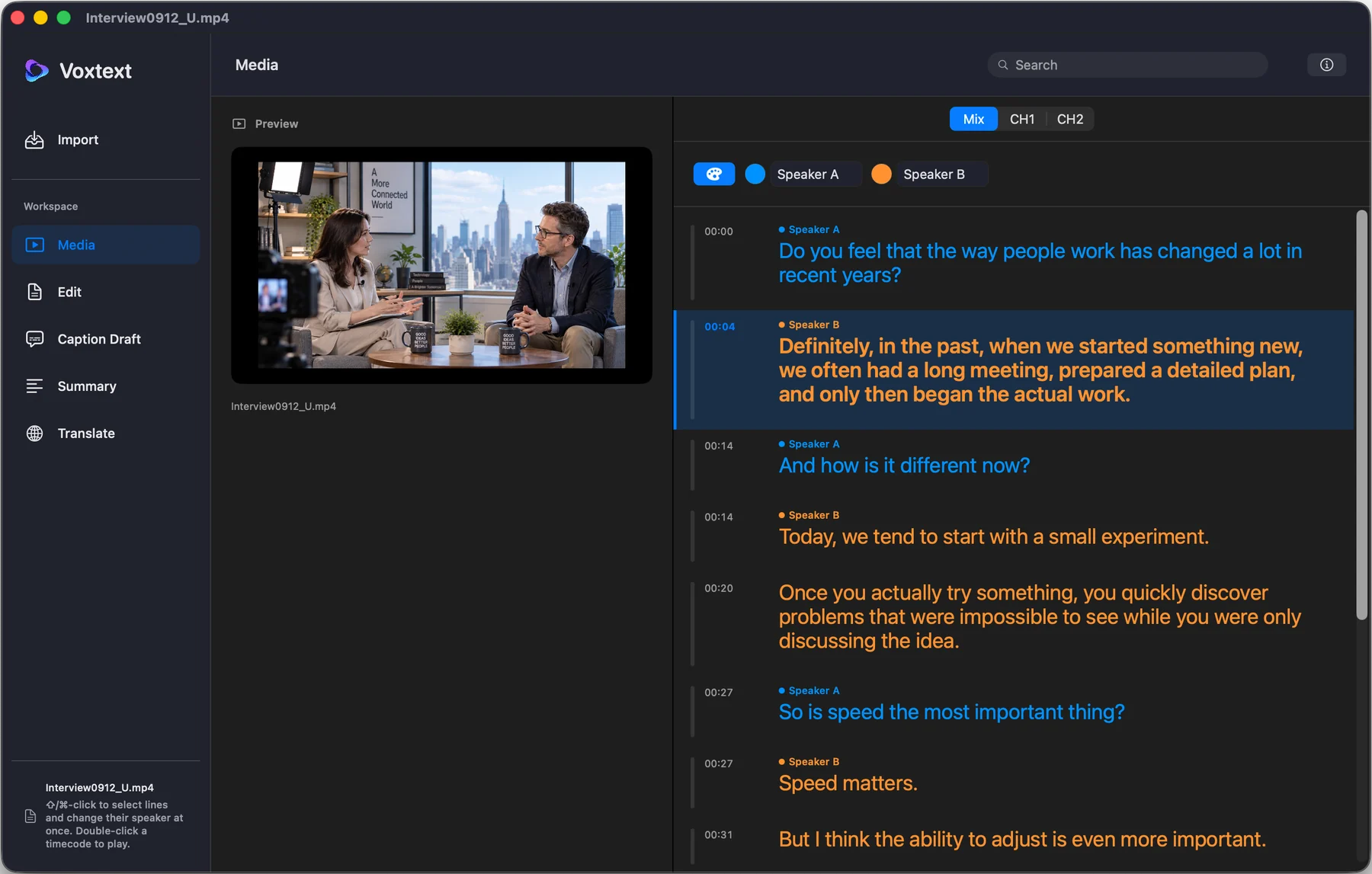
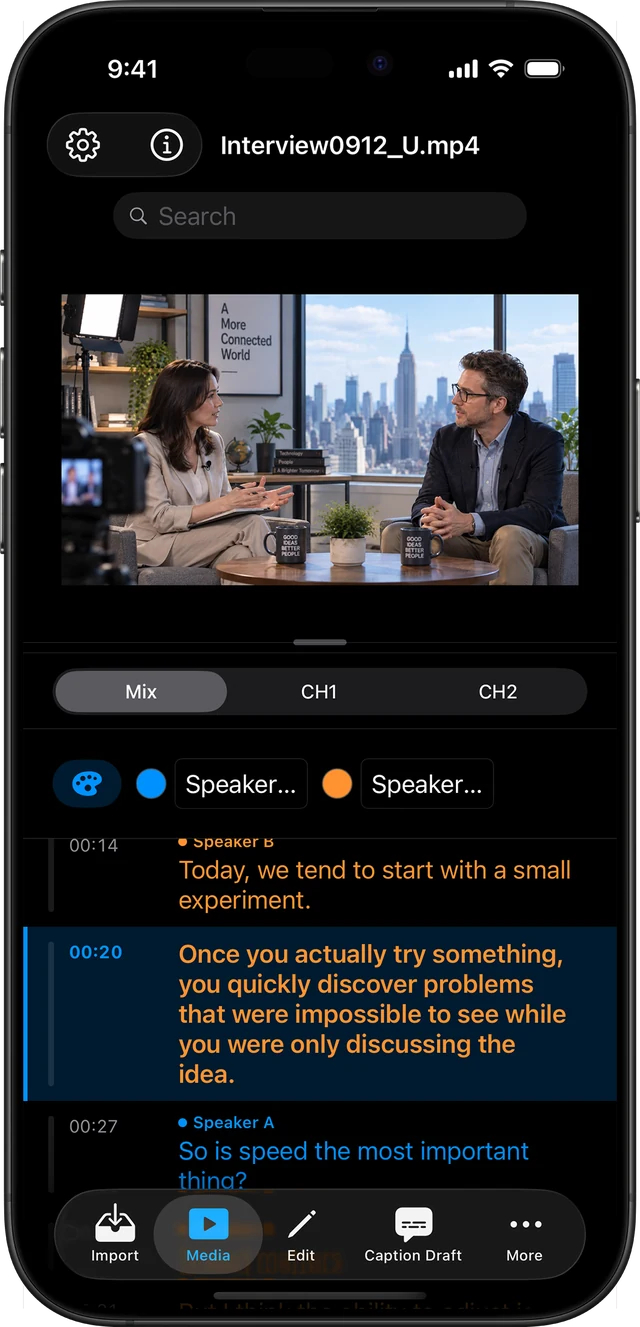
Batch captions · Voxtext Studio for Mac
Generate multiple captions from video, transcripts, or scripts. Refine your drafts, then export them together.



PNG caption output from Voxtext Studio for Mac.
From video words to six caption images. Export transparent PNGs together.
Photoshop workflow · Mac
Bring your caption batch into Photoshop as editable text. Refine the wording and design later.
Export a Photoshop script from Voxtext Studio for Mac, then run it in Photoshop.
Workflow diagram · Mac
Start with video transcription, an existing transcript, or a Word or text script.
Refine draft wording, line breaks, and styles in the preview.
Export numbered transparent PNGs together for your video editor.
The problem
Scrubbing through an hour of audio to find one line, then retyping it as a caption. Voxtext connects your transcript to both finding the moment and finishing the edit.
The usual way
▶ 00:00 ━━━━━━━●━━━━━━━━ 58:21
Dragging the playhead back and forth, then retyping what you found into your caption tool.
With Voxtext
⌕ share the slides → 00:12:09
Search the text, tap to play from that moment, and send the same words straight to your captions.
What it does
Transcribe with timestamps, search the text, and play the original audio or video from any line. The current line is highlighted as it plays.
Speakers are detected automatically and shown by name and color. Edit the text, translate foreign-language material, and summarize with Apple Intelligence on supported devices.
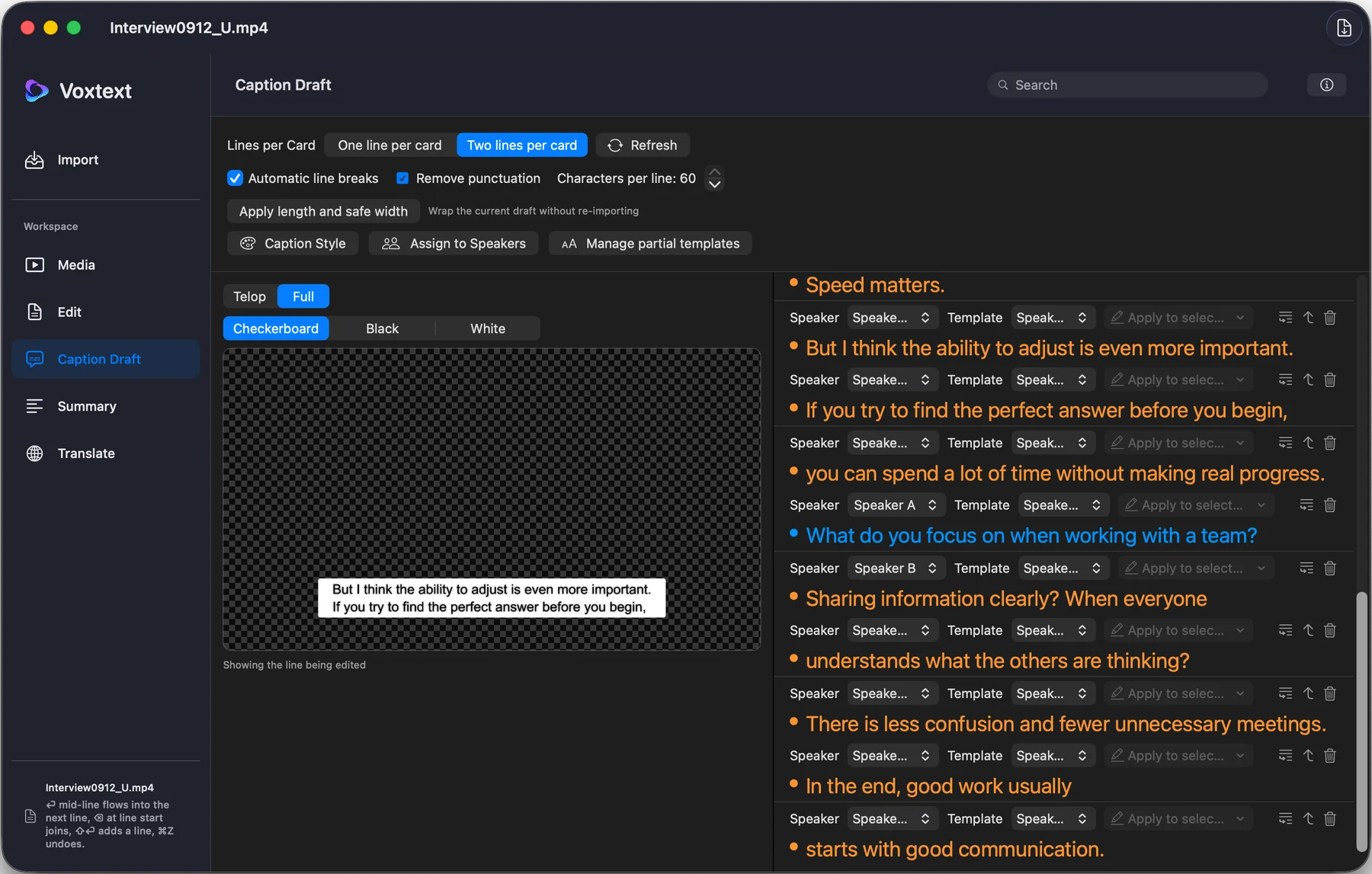
Build captions from your transcript or an imported script. Style them by speaker, emphasize key words, and export SRT/VTT subtitles or numbered transparent PNGs for your editor.
Built for captions
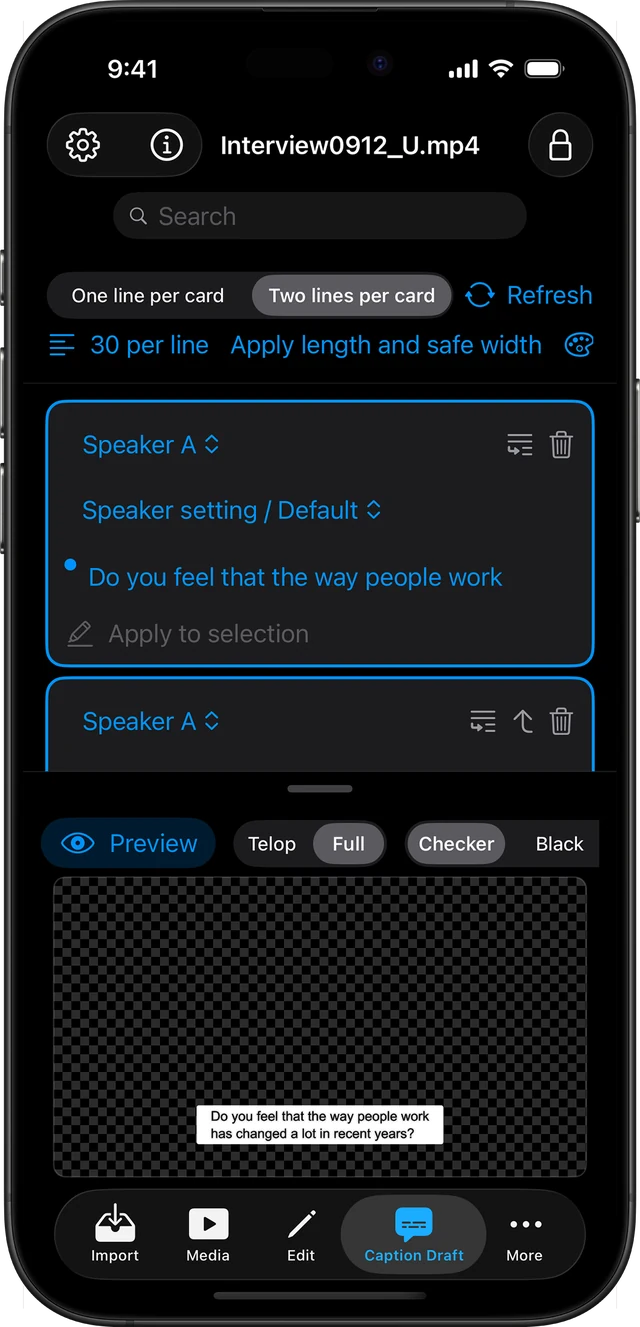
Caption edits are kept separate from the original transcript, so you can rework line breaks and wording for the screen without losing your record.
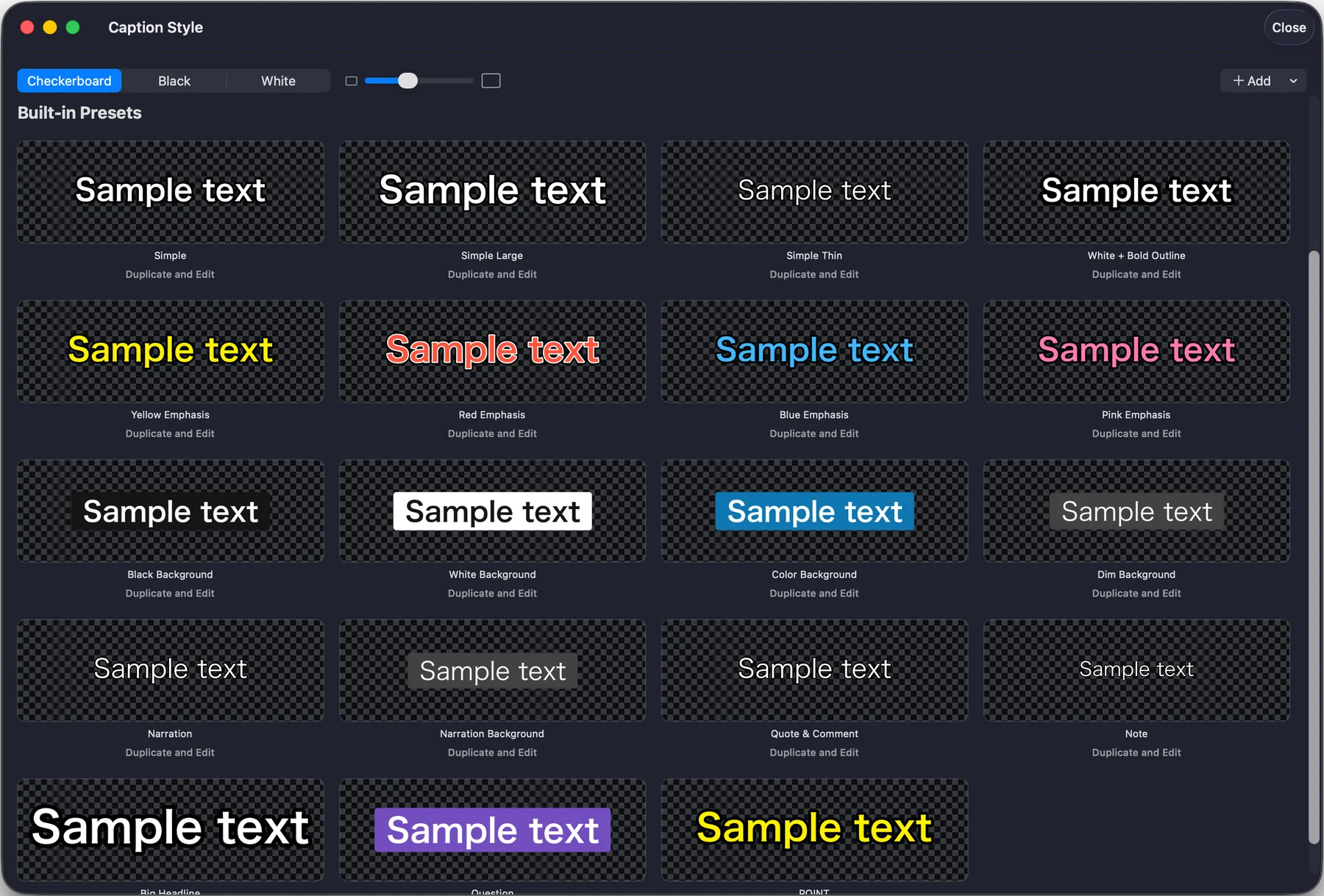
Adjust fonts, colors, outlines, and spacing with a live preview. Switch looks by speaker and make a single word stand out.
Export SRT or VTT subtitles and numbered transparent PNGs. On Mac, you can also export a script that builds editable text in Photoshop.
Export TXT, Markdown, Word, or Excel. Import Word or text scripts to start with captions, and save a project to pick up later.
Privacy
Speech recognition runs on your device, and your recordings and transcripts are never sent to Vision Structure's servers. Downloading language models or translation data may require an internet connection.
Availability
iPhone · iPad
Transcription, search, speakers, translation, summaries, and SRT/VTT subtitle and text export.
Check caption text against Japan’s jōyō kanji list and fix flagged characters with hiragana or furigana.
Remove ads and export your styled captions as numbered transparent PNGs. Try caption design before you buy.
Mac
No ads. Includes Photoshop script export.
New: Live Transcription. Turns meeting or stream audio and your mic into text as it happens, labeled “Others” and “Me”. Please get participants’ consent first.
No subscription.
Windows
Check Microsoft Store for Windows availability and purchase details.
The apps are separate products on each platform. Check each store for purchase details.
FAQ
Yes. Voxtext for iPhone and iPad and Voxtext Studio for Mac transcribe audio and video with timestamps. Speech recognition runs on your device, and your recordings and transcripts are never sent to Vision Structure’s servers (downloading language models or translation data may require an internet connection). Available transcription languages vary by system.
Yes. Search the transcript text and play the original audio or video from the timestamp of the line you found. The line being spoken is highlighted during playback. On iPhone and iPad, double-tap a line to play from the start of that line.
Yes. Voxtext Studio for Mac builds captions from your transcript or an imported Word or text script, lets you style them by speaker and emphasize single words, and exports SRT/VTT subtitles or numbered transparent PNGs. It can also export a script for Photoshop (Photoshop is required separately). Voxtext for iPhone and iPad exports SRT/VTT subtitles and text for free; exporting styled captions as numbered transparent PNGs requires the one-time purchase. Voxtext for Windows also lets you create captions on your PC.
Yes. Live Transcription in Voxtext Studio for Mac turns the audio playing on that Mac, such as a meeting or stream, and your microphone into text as it happens, so you can read it back. Please tell the participants and get their consent before using it. Recordings or videos of meetings and interviews can also be transcribed with Voxtext for iPhone and iPad.
It depends on the app. Voxtext for iPhone and iPad is free to use (transcription, search, speakers, translation, and SRT/VTT subtitle and text export; the free version shows ads). A one-time purchase removes ads and lets you export captions as numbered transparent PNGs. Voxtext Studio for Mac includes 5 free transcriptions and has no ads; a one-time purchase unlocks unlimited transcription, with no subscription. For Voxtext for Windows, check Microsoft Store for availability and purchase details. Check each store for prices.
Voxtext for iPhone and iPad requires iOS/iPadOS 26.0 or later, and Voxtext Studio for Mac requires macOS 26.0 or later. Voxtext for Windows is a separate product available from Microsoft Store (check the store for availability and purchase details). Interface languages: iOS and Mac support Japanese, English, French, Korean and Traditional Chinese; Windows also supports German. Transcription and translation languages vary by system. Summaries require a compatible device, language, and settings with Apple Intelligence available.
Voxtext (iPhone and iPad) can import a meeting or interview recording file and transcribe it with timecodes. You can search the text, and speakers are told apart and shown with names and colors. Double-tap a line you found to play the original audio or video from the start of that line. Speech recognition runs on your device. iOS 26 or later is required.
Voxtext (iPhone and iPad) is a free app with no limit on how many transcriptions you can make. Ads are shown while you use it for free. A one-time purchase removes the ads and lets you export caption graphics as transparent PNGs. The purchase does not change how many transcriptions you can make. You choose the transcription language on the import screen, and Japanese is supported. Available languages depend on your device and OS.
Voxtext (iPhone and iPad) imports audio or video files you already have, transcribes them, and lets you search the text and listen again from the moment you found. The app has no feature to record calls or meetings; you import files that were recorded elsewhere.
Voxtext (iPhone and iPad) imports video or audio files and transcribes them with timecodes. You can search the text and play the original scene. It can also export subtitle files (SRT and VTT). Supported languages for transcription and translation depend on your device and OS.
Voxtext Studio (Mac) transcribes the voices in your video and can export subtitle files (SRT and VTT). For video editing, you can export captions as a numbered sequence of transparent PNGs. It runs on a Mac with macOS 26 or later.
When you bring a video or audio file into Voxtext Studio (Mac), it is transcribed with timecodes and can be exported as an SRT or VTT subtitle file. You can organize speaker names and colors, translate, and also export to TXT, Markdown, Word and Excel. Speech recognition runs on your Mac. Supported languages for transcription and translation depend on your environment.
Voxtext Studio (Mac) imports a meeting recording file and turns it into a transcript with speakers marked by name and color. You can search the text, play from the matching moment, and use it to prepare minutes or interview write-ups. You can export to TXT, Markdown, Word and Excel. To transcribe while a meeting is under way, "Live Transcription" turns the sound playing on this Mac and your microphone into text, shown as "Others" and "Me." Please tell the participants and get their consent before using it.
Voxtext Studio (Mac) transcribes the voices in your video and goes as far as drafting the on-screen captions; you can export subtitles as SRT or VTT and caption graphics as a numbered sequence of transparent PNGs, ready for video editing. You can adjust caption styles per speaker and the color and size of emphasized words, and the caption draft is kept separate from the original transcript. If you want to finish in Photoshop, you can also export a Photoshop script that creates editable text (Photoshop is required separately).