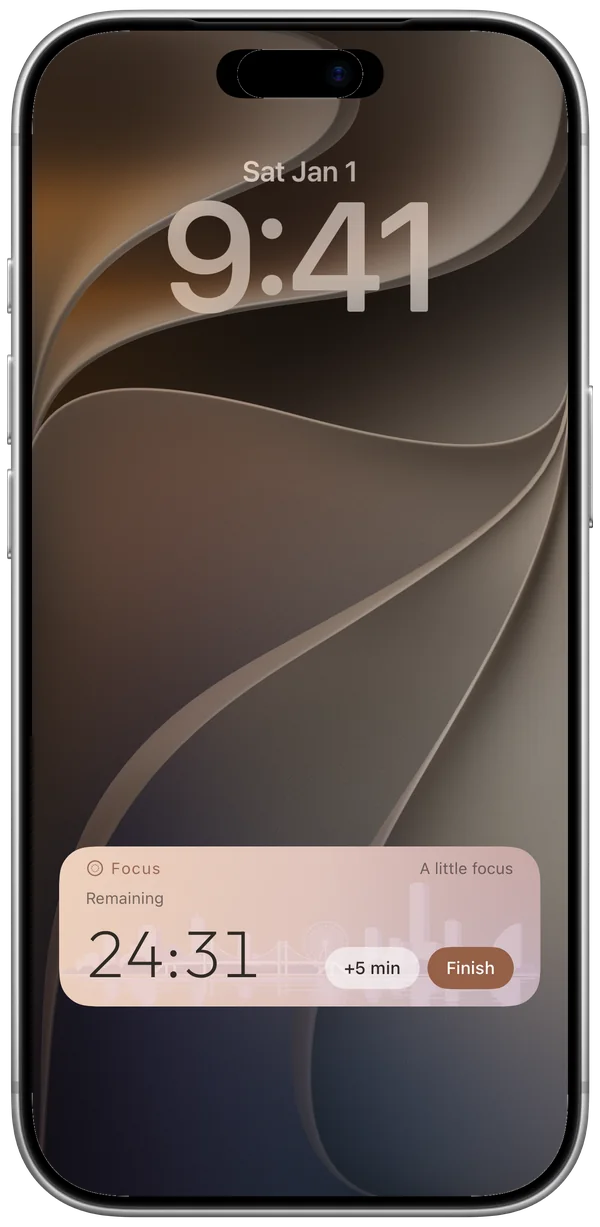
What Live Activities can do
- Stay on your Lock Screen and keep updating the time left or progress (unlike a notification, the display changes over time).
- On iPhones with the Dynamic Island, stay at the top of the screen while you use other apps. Touch and hold to expand.
- In some apps, let you act from the Lock Screen, such as extending or finishing.
- Be turned on or off for each app.
What do Apple’s built-in apps show?
First, examples from apps that come with iPhone (from Apple’s iPhone User Guide).
Turn-by-turn directions appear on the Lock Screen and in the Dynamic Island.
Live sports updates during a game appear on the Lock Screen.
While music or video plays, the Lock Screen playback controls let you play, pause, rewind and fast-forward — even for media playing on Apple TV 4K or HomePod.
While you record, the Dynamic Island shows that a recording is in progress.
While files are being sent or received, the connection shows in the Dynamic Island.
Beyond Apple’s apps, any app built for it can put its “right now” on the Lock Screen — for example, the progress of an order in a food delivery app.
Using the Dynamic Island
- Touch and hold an activity to expand it and see more.
- Swipe up on an expanded activity to collapse it.
- When two activities are showing, tap the one you want to switch to.
- On iPhone 18 Pro models, up to three Live Activities can show at once (swipe to switch).
How to turn them on or off
Go to Settings > Apps > the app > Live Activities and turn them on or off. You can turn them off just for the apps you don’t want. Some apps don’t have a Live Activities setting.
Source: Apple “iPhone User Guide” · Dynamic Island
Ideas: everyday “minutes left” on your Lock Screen
Count down to leaving home and to the train. Tap “Left” and it switches to a timetable of the next trains.
Show the time left until it starts.
Choose how many minutes before an event it appears — overall, per calendar or per event.
Show the time left on Focus, Detox and break timers. Focus and breaks can be extended or finished from the Lock Screen; Detox can be finished there.
FAQ
- What is a Live Activity?
- A way for an app to keep the time left or status of something in progress on your iPhone Lock Screen (and at the top of the screen on models with the Dynamic Island). It updates as time passes.
- How is it different from a notification?
- A notification tells you something once. A Live Activity stays until it ends, and the time left keeps changing.
- How do I turn Live Activities off?
- Go to Settings > Apps > the app > Live Activities and turn them off. You can choose for each app.
- Which apps support them?
- Only apps built for Live Activities. MellowPace can show your usual train, streams you want to watch, calendar events and focus timers on the Lock Screen.

Everyday “minutes left” on your Lock Screen with MellowPace
MellowPace gently reminds you of the small things that don’t need a calendar entry. On iPhone it shows your usual train, streams you want to watch, calendar events and focus timers as Live Activities on the Lock Screen. It also works on Android and Mac (Live Activities are an iPhone feature). Free to use.