What is Tabata?
Tabata is an interval-training format: 20 seconds of high-intensity work and 10 seconds of rest, repeated 8 times, about 4 minutes in all. It is named after researcher Izumi Tabata and his colleagues. The exercise is up to you: squats, burpees, jumps, whatever you like. Keep the intensity at a level that suits your condition.
The 4 minutes, broken down
| Block | Calculation | Sec |
|---|---|---|
| Get ready | 10 s × 1 | 10 |
| Work | 20 s × 8 | 160 |
| Rest | 10 s × 7 | 70 |
| Total | 240 (4:00) |
After the last round’s work interval the timer ends without a final rest (this page and the CoreWeight timer behave the same). Add the 10-second get-ready and it comes to exactly 4 minutes.
Change the times and rounds
Prep can be 0–60 seconds, work 5–600 seconds and rest 0–300 seconds (all in 5-second steps), with 1–30 rounds. These are the same ranges as the CoreWeight timer, so you can use it for other HIIT formats or for timing stretches and holds. What you enter stays on this page and is not sent anywhere.
FAQ
- What is Tabata?
- An interval-training format of 20 seconds of high-intensity work and 10 seconds of rest, repeated 8 times, about 4 minutes in all. It is named after researcher Izumi Tabata and his colleagues.
- How long do you work and rest in Tabata?
- You work for 20 seconds and rest for 10, for 8 rounds. That is 160 seconds of work and 70 seconds of rest (there is no rest after the last round). Add the 10-second get-ready and it is exactly 4 minutes.
- Can I change the times and the number of rounds?
- Yes. Enter the prep, work and rest times and the number of rounds and the timer counts exactly that. The “Tabata (20/10 × 8)” button restores the standard setup at any time.
- I cannot hear any sound.
- The sound plays after you press Start. Your device’s silent mode or volume, or a muted browser tab, can silence it. Even with Sound turned off, the color and text on screen show every switch.
- Does it keep running if the screen turns off?
- Keep the browser tab in front. If the screen turns off or you switch tabs, sounds and the display can be late (on devices that allow it, the page keeps the screen on). When you come back, the remaining seconds are corrected to match the time that passed.
- Do I have to re-enter the times every time?
- The CoreWeight timer remembers your settings and keeps your last five combinations in a history you can pick from. The “Tabata (20/10 × 8)” preset in its settings sheet restores the Tabata setup.
In the app, it sits next to your workout log
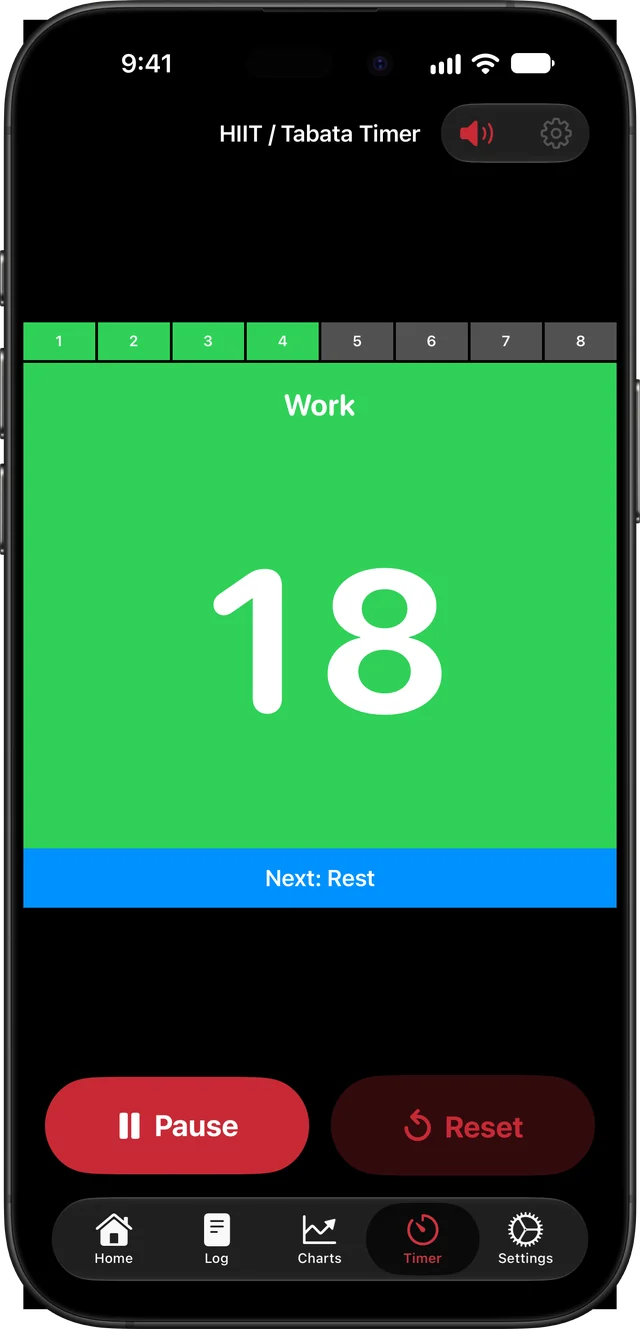
The CoreWeight iPhone app has a Timer tab with a HIIT / Tabata timer. In its settings sheet (the gear icon) you set the prep, work and rest times and the number of rounds, and the “Tabata (20/10 × 8)” preset restores the standard setup. Every time the phase changes you get a sound and a haptic tap. The Apple Watch app has the same HIIT / Tabata timer too, and starting the timer on iPhone opens CoreWeight on the Watch (you can turn that off in settings).